Dealer Coordinator Program · for the floor

The rotation,
without the paper.

See who is on the table, who is due for a break, and who can cover the game. The current pilot brings strings, dealer hours and roster tools together on one podium PC.

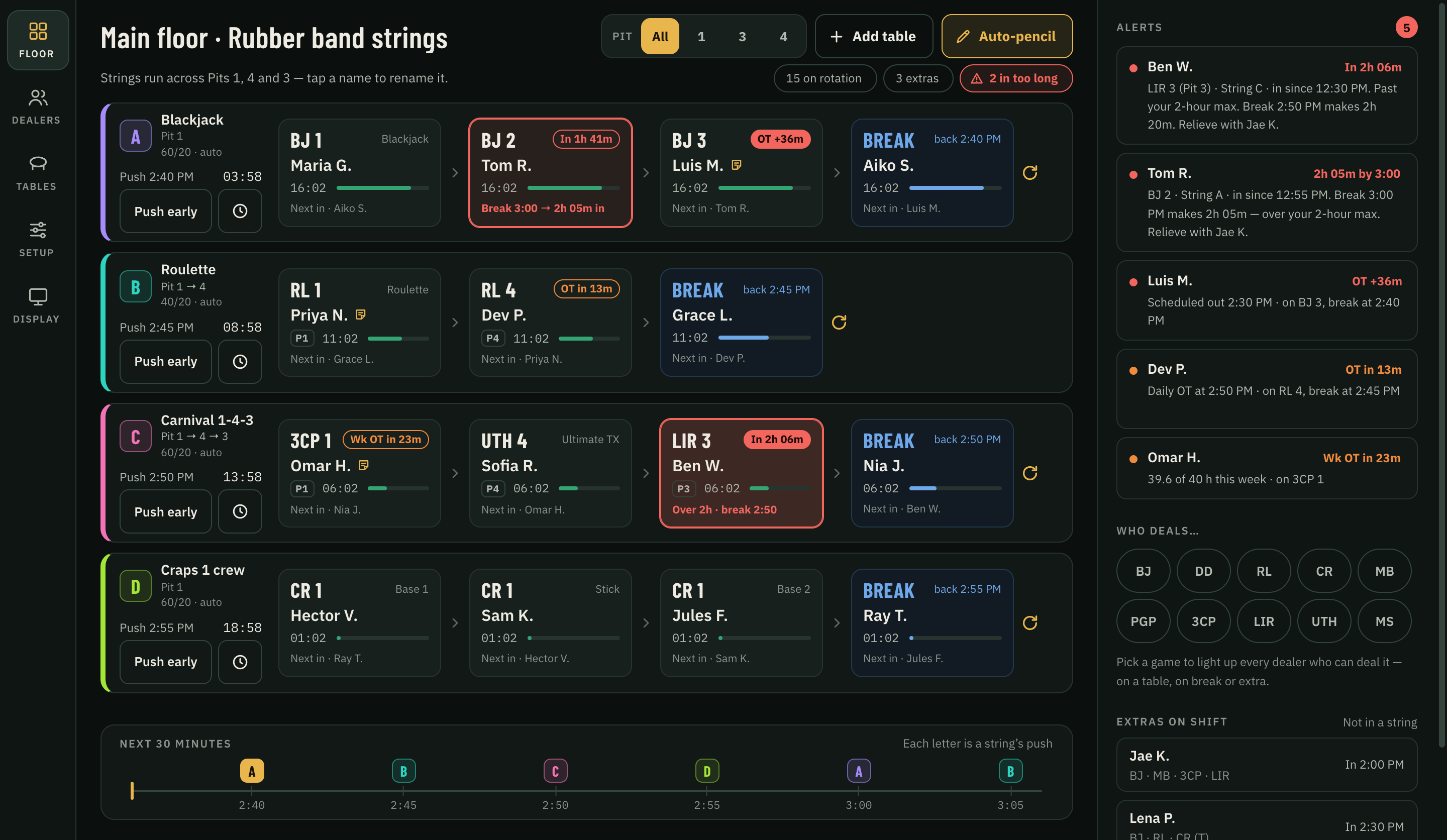
The Dealer Coordinator Program's floor screen: four rubber band strings across Pits 1, 4 and 3, each table with its dealer, time on table and who's next in, plus alerts for dealers in too long or close to overtime.
The floor. Every string, push and break on one screen, with alerts for anyone in too long or close to overtime.
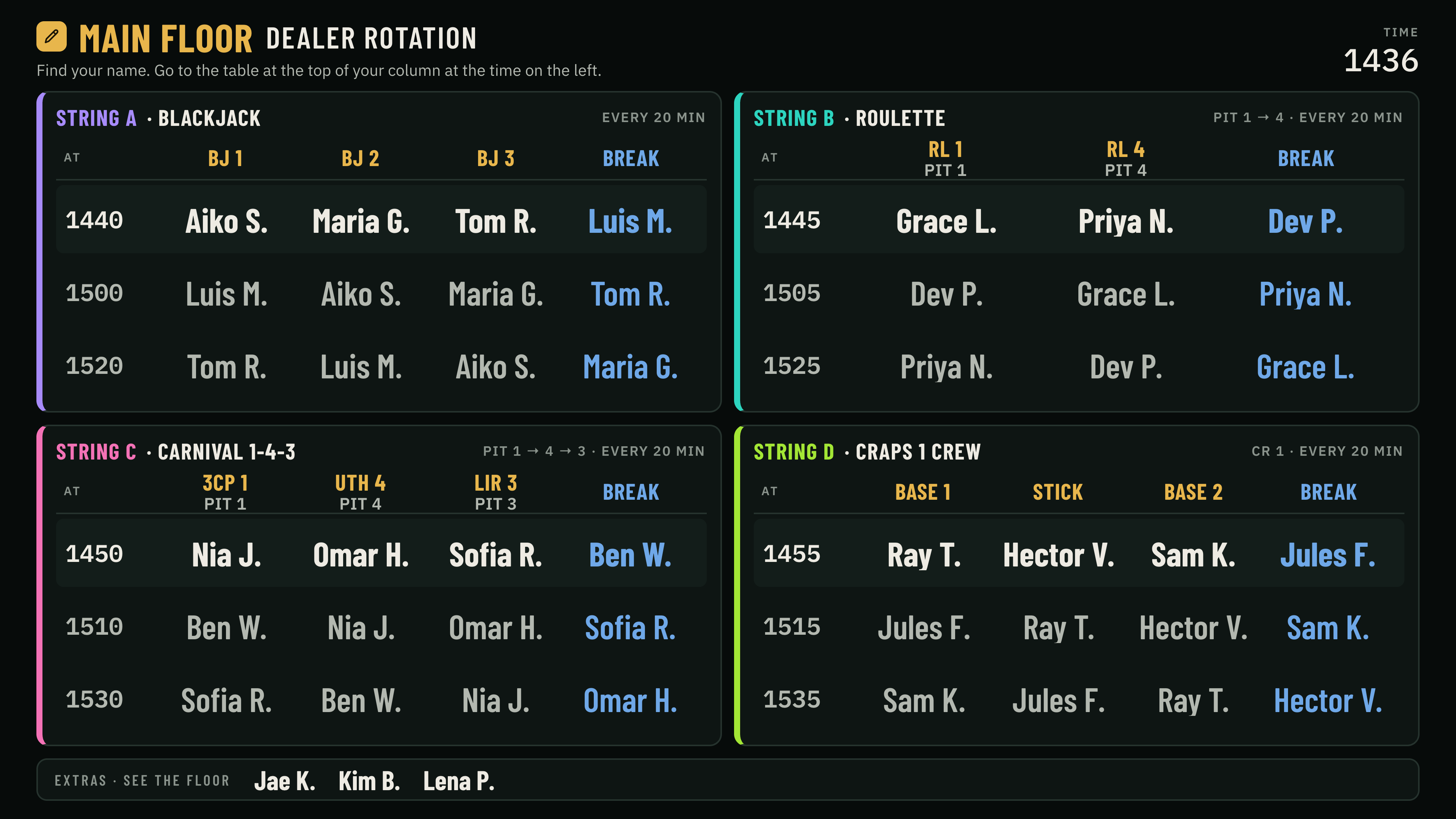
The dealers' TV screen: for each string, which dealer goes to which table at each push time, and who is on break.
The dealers' TV. Every dealer finds their name and sees where they go next, and when.
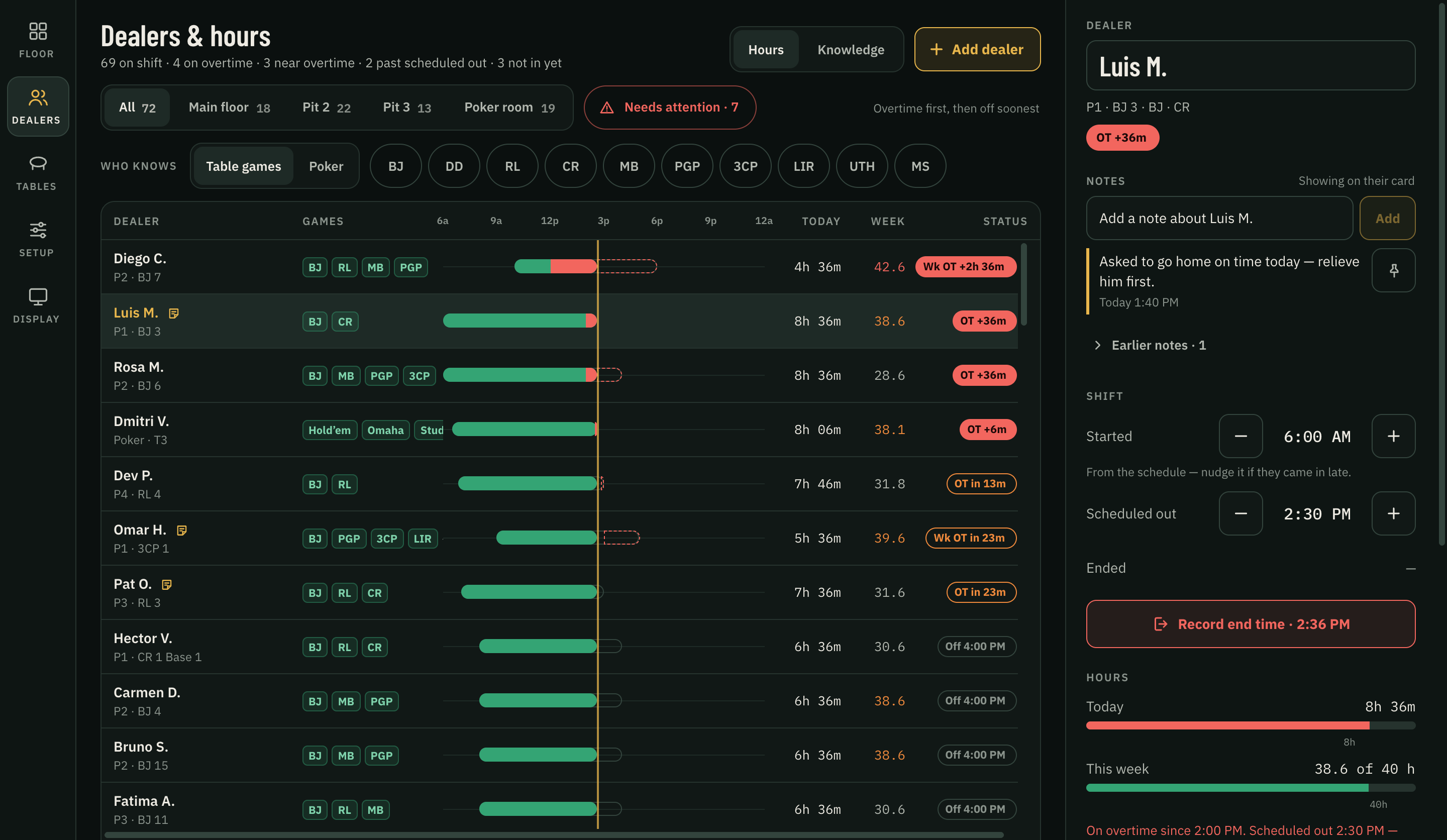
The Dealers and hours screen: each dealer on shift with the games they deal, a shift timeline, hours today and this week, and overtime flags.
Dealers and hours. Who's on shift, the games they deal, their hours and overtime.

Interface design previews with sample names, tables and times. The current pilot supports strings on one podium PC, with a TV board connected to that same PC. Tap a preview to see it full size.

What it does

  • Run the pencil live

    Build strings, assign dealers and push the rotation from one floor view. See the next assignment and break before making the move.

  • Know who’s due

    Time-on-table and break timers keep the next move visible. Alerts highlight overdue rotations and dealers approaching overtime.

  • Set your pace

    Choose push and break intervals for your floor. Adjust strings as tables open or close, and handle changes during the shift.

  • Find the right cover

    Keep each dealer’s game knowledge with their roster entry. Filter by game when you need someone who can cover a table.

  • Handle the phone call

    Record late arrivals, absences and early outs. Update dealer starts and ends, and make mid-shift changes without rebuilding the pencil.

  • Bring your roster

    Import dealers, schedules and house tables from CSV files exported by Excel. Review the import, or edit entries one at a time.

  • Review hours and export

    Review recorded shifts and pay-period totals, including overtime and double time. Export hours, signed corrections and time by game to CSV for Excel or Google Sheets.

  • Give dealers a clear board

    Show assignments and push times on a display connected to the podium PC. The read-only board keeps personal hours and private notes off the shared screen.

  • Keep a recoverable record

    Changes save locally on the podium PC. Undo a recent change, and export or restore a backup of the floor.

Pricing

Priced per
property.

Pay monthly, or pay for the year and get two months free.

Dealer Coordinator Program

For the floor
$150per month, per property

Billed monthly.

  • Live rotation board
  • Strings with configurable intervals
  • Your push and break times
  • Game knowledge per dealer
  • Mid-shift dealer changes
  • CSV imports, hours and reports

FAQ

Straight answers.

Something else? Ask us.

Per property, monthly or annually. Annual billing comes with two months free.

Custom work

Built for
your floor.

Every floor runs a little differently. Tell us how yours works.

  • Design changes on request

    Need the board laid out differently? Tell us what to change and we'll make it.

  • Help with your spreadsheet

    Bring the roster, schedules and table list you already use. We can help prepare CSV files for import and walk through the first setup with you.

Questions? Ask us.

Anything about the Dealer Coordinator Program: a demo, pricing, design changes or an Excel import. We'll answer by email.

What's it about?

Send opens your email app with your inquiry written out, addressed to SoraShouri@Countersoftware.net. See our Privacy Policy.

Book a demo